

Activate the framework
Navigate to Governance > Frameworks and click Activate next to the framework you want to apply. A modal will prompt you to select which projects should follow this framework. You can select projects individually or use filters to apply the framework based on criteria like risk level, approval status, or task type (e.g., Generative AI, Tabular classification). The framework will apply to all matching projects, both existing and future ones that meet the criteria.Track compliance from a project
Once a framework is active, teams can view their compliance status directly from the project. Navigate to any project within scope and open Governance mode from the project overview. You’ll see all frameworks currently applied to that project, along with overall completion metrics broken down by platform rules and evidence-based rules. Click a framework to see the full checklist: which rules are completed, which still need action, and who is responsible for each.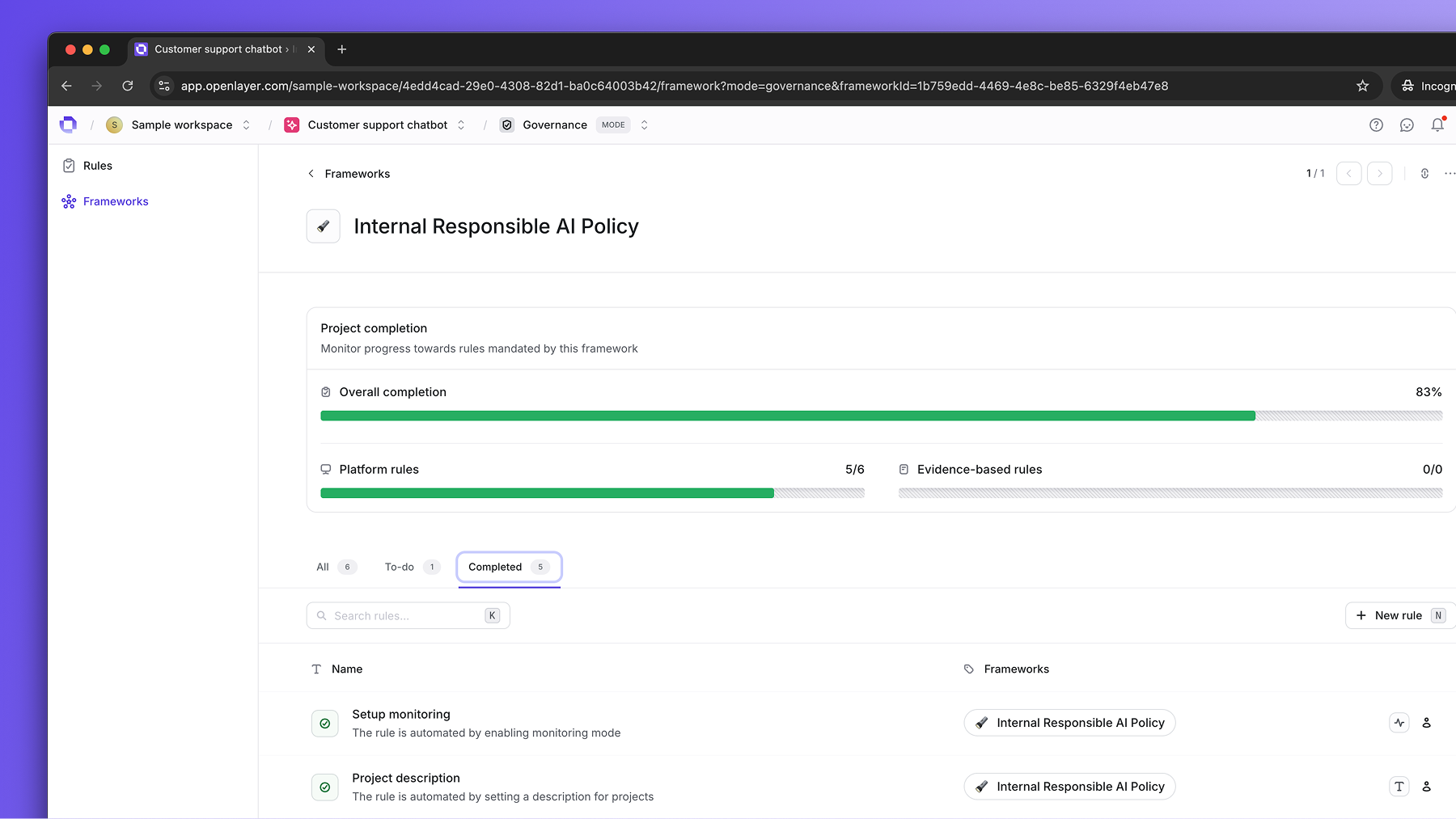
Workspace-level vs. project-level rulesMost rules apply at the project level—each project must satisfy them
individually. However, some rules apply at the workspace level and only need
to be completed once.For example, a “Banned AI use cases” rule defines organization-wide policy.
Rather than uploading this document for every project, you upload it once to
the workspace and it satisfies the rule across all projects.When configuring rules in a framework, the scope (workspace or per-project) is
indicated on each rule.