Guardrails vs. Tests
Guardrails complement tests, in particular in monitoring mode. While your Openlayer tests run continuously on top of your live data and trigger a notification in case of failure, guardrails validate inputs and outputs in real time and block or modify them if they don’t meet your constraints. Together, they give you both proactive coverage (through tests) and reactive protection (through guardrails).Guardrails library
Openlayer has a Python library for guardrails. You can use one of the built-in guardrails (such as the PII or prompt injection), or implement custom guardrails following the interface defined in theBaseGuardrail class.
You can install it with:
If you try to use a guardrail without its required dependencies, you’ll see an error message with the exact install command needed.
With Openlayer tracing
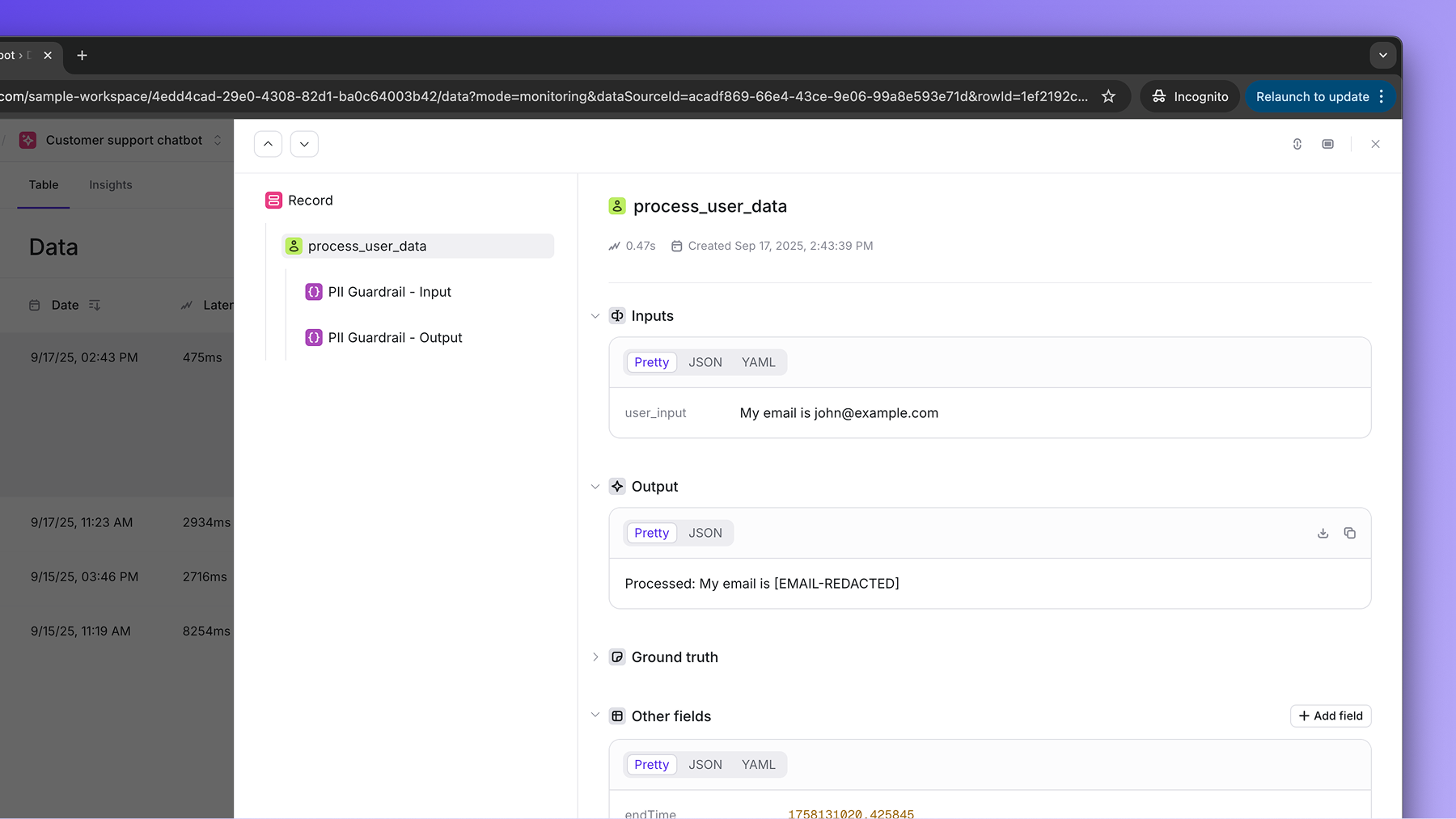
Guardrails work well with Openlayer tracing. In this case, you can pass the desired guardrails to thetrace decorator, and they will be applied
to the inputs and outputs of the traced function.
Prerequisites: Besides the
openlayer-guardrails, you need to have the
openlayer library installed and have tracing correctly configured in your
project to run the example below.